


Why All-in-One PCs Are Redefining Customer and User Interaction in 2026
From retail floors to healthcare reception desks, all-in-one PCs are becoming the go-to hardware for businesses that need seamless, engaging touchpoints — without the clutter.
The Shift Towards Purposeful Interaction Hardware
Businesses across the UK and France are rethinking how they engage with customers and end users at the point of interaction. Whether it's a self-service kiosk in a retail environment, a patient check-in screen in a healthcare setting, or a staff-facing display on a factory floor, the hardware at the centre of that interaction matters enormously.
All-in-one PCs have emerged as a leading solution — and it's easy to understand why. By combining display, processing power, and touch capability into a single unit, they eliminate cable clutter, reduce footprint, and create a far more professional, purposeful experience for whoever is standing in front of them.
Windows vs Android: Choosing the Right OS for Your Use Case
One of the most important decisions when specifying an all-in-one for customer or user interaction is the choice of operating system. Both Windows and Android have strong use cases, and the right choice depends heavily on the deployment environment.
Android-based all-in-ones tend to be favoured for:
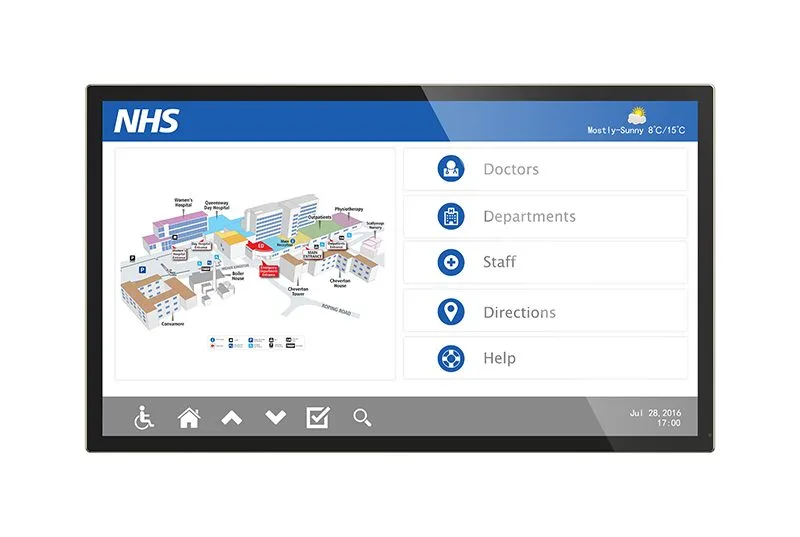
- Kiosk and signage-style deployments where a single app or interface runs continuously
- Retail and hospitality environments requiring fast boot times and locked-down experiences
- Scalable, MDM-managed fleets where remote configuration and app deployment are priorities
- Cost-sensitive projects where Android licensing overhead is lower
Windows-based all-in-ones are often better suited to:
- Back-office or staff-facing workstations requiring full desktop application support
- Healthcare and professional services where legacy software compatibility is essential
- Multi-application environments where users need to switch between tools fluidly
Neither platform is universally superior — the best deployments match OS to workflow, not the other way around.
The BG830 Range: Built for Commercial Interaction
At BOSH Group, our BG830 Range speaks directly to this demand. Available in screen sizes from 18 to 43 inches, these are commercial-grade Android 14 touch displays powered by an octa-core RK3576 processor — designed with retail, healthcare, and professional environments firmly in mind.
The range isn't consumer hardware dressed up for business use. It's built from the ground up for sustained commercial deployment, where uptime, touch responsiveness, and reliable performance across long operational hours are non-negotiable.
The breadth of available screen sizes also means businesses can deploy a consistent hardware platform across varied locations — from compact countertop units to large-format wall-mounted displays — without fragmenting their estate across multiple product families.
Engagement Is an Experience, Not Just a Feature
It's worth stepping back from the spec sheet for a moment. The reason all-in-ones are gaining ground in customer-facing environments isn't purely technical — it's experiential.
A well-specified, well-positioned interactive display invites engagement. It signals to a customer or user that the business has invested in making the interaction smooth and intuitive. Contrast that with a repurposed desktop tower, a tangled mess of cables, and a consumer monitor bolted to a counter — the difference in perceived professionalism is immediate.
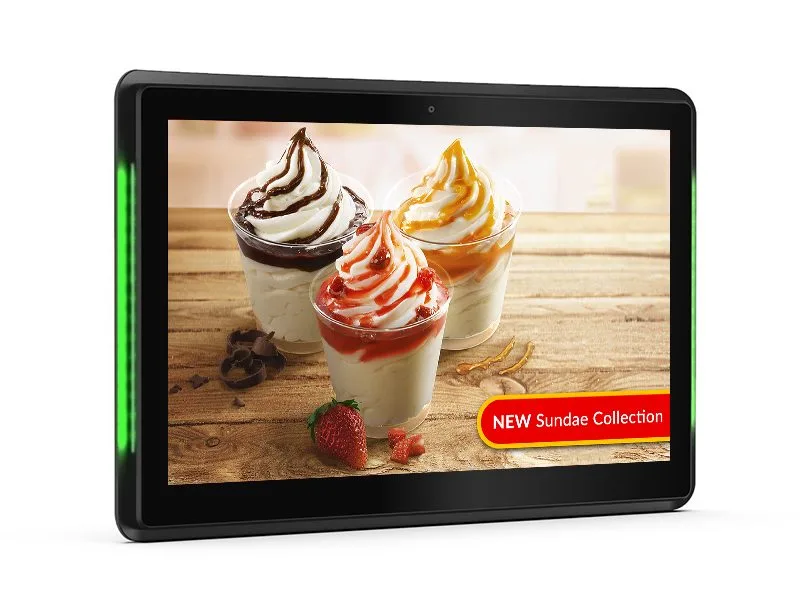
For B2B buyers, this matters beyond aesthetics. Staff adoption improves when hardware feels purposeful. Customer dwell time and self-service completion rates tend to improve when the interface is responsive and the display is appropriately sized for the context.
Specifying the Right All-in-One for Your Environment
If you're evaluating all-in-one hardware for a customer interaction or user-facing deployment, consider the following before committing:
- Screen size relative to viewing distance — a 43-inch display makes sense for a queue-facing kiosk; an 18-inch unit suits a countertop check-in point
- OS alignment with your software stack — don't retrofit your applications to the hardware
- Commercial vs consumer grade — look for units rated for continuous operation
- Remote management capability — especially important for multi-site deployments
BOSH Group works with businesses across the UK and France to match hardware to real-world requirements. If you're planning a deployment and want straightforward, expert guidance on all-in-one solutions, get in touch with our team.