


Choosing the Right Server for Your Business: A Plain-English Guide
Rack, tower, or blade? On-premise or cloud? This guide cuts through the jargon and helps you identify the right server solution for your business needs.
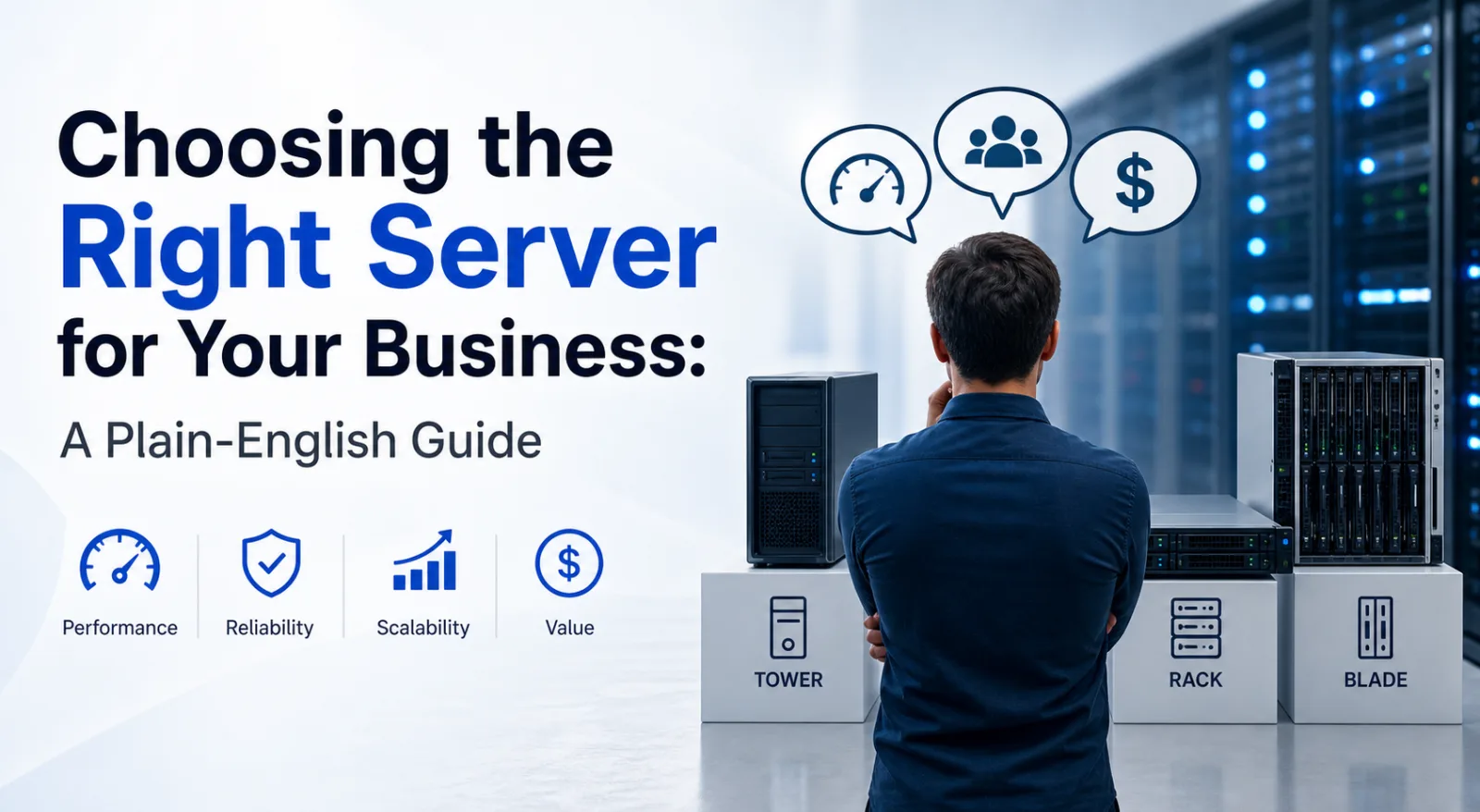
For many small and medium-sized businesses, the word "server" still conjures images of expensive, complex infrastructure that only large enterprises can justify. In reality, modern servers are more accessible, more capable, and more relevant than ever — and choosing the right one doesn't have to be complicated.
This guide cuts through the jargon and helps you understand what type of server your business actually needs.
Why Does Your Business Need a Server?
Before choosing a server, it's worth being clear on what you need it to do. Common business use cases include:
- File storage and sharing — centralised storage that all users can access, with proper access controls and backup
- Application hosting — running line-of-business software (ERP, CRM, accounting) locally rather than relying on internet connectivity to cloud services
- Virtualisation — running multiple virtual machines on a single physical server, maximising hardware utilisation
- Database hosting — reliable, high-performance storage for business databases
- Email — hosting your own email server for control, compliance, or offline capability
- Backup and disaster recovery — a local backup target that can restore data quickly without relying on slow internet connections
Server Form Factors Explained
Tower Servers
Tower servers look like a large desktop PC and are ideal for businesses without a dedicated server room or rack. They're quieter than rack servers, require no special mounting infrastructure, and are straightforward to expand. A good choice for a small office that needs one or two servers without the overhead of a full rack setup.
Rack Servers
Rack servers are designed to slide into a standard 19" equipment rack, measured in rack units (U). A 1U server is 44mm tall; a 2U server is 88mm, and so on. Racks allow you to pack a large amount of computing and storage into a small physical footprint and are the standard choice for any dedicated server room or data centre environment.
Blade Servers
Blade servers are high-density modules that slot into a shared chassis, sharing power supplies, cooling, and networking infrastructure. They're highly efficient at scale but represent a significant initial investment in the chassis. Typically the right choice for large enterprises with substantial compute requirements.
Key Specifications to Understand
Processor (CPU)
Server processors are different from desktop CPUs — they're designed for continuous operation, higher core counts, and support for ECC memory. Intel Xeon and AMD EPYC are the dominant server processor families. For most SME workloads, a current-generation Xeon or EPYC with 8–16 cores is more than adequate.
Memory (RAM)
Servers use ECC (Error-Correcting Code) RAM, which detects and corrects memory errors before they cause crashes. For file serving and general applications, 32GB–64GB is a reasonable starting point. Virtualisation workloads benefit from more — 128GB or above for hosting multiple VMs.
Storage
The storage configuration has a major impact on performance and reliability. Key decisions:
- NVMe SSD — fastest performance, ideal for databases and OS drives
- SATA SSD — good performance, lower cost per GB, suitable for most applications
- SAS/SATA HDD — high capacity at lower cost, ideal for bulk storage and backup
- RAID — configure drives in a RAID array for redundancy; RAID 1, 5, or 10 are the most common business configurations
Redundancy
Business-critical servers should have redundant power supplies (if one fails, the other takes over) and redundant networking. Hot-swap drive bays allow you to replace a failed drive without taking the server offline.
On-Premise vs Cloud vs Hybrid
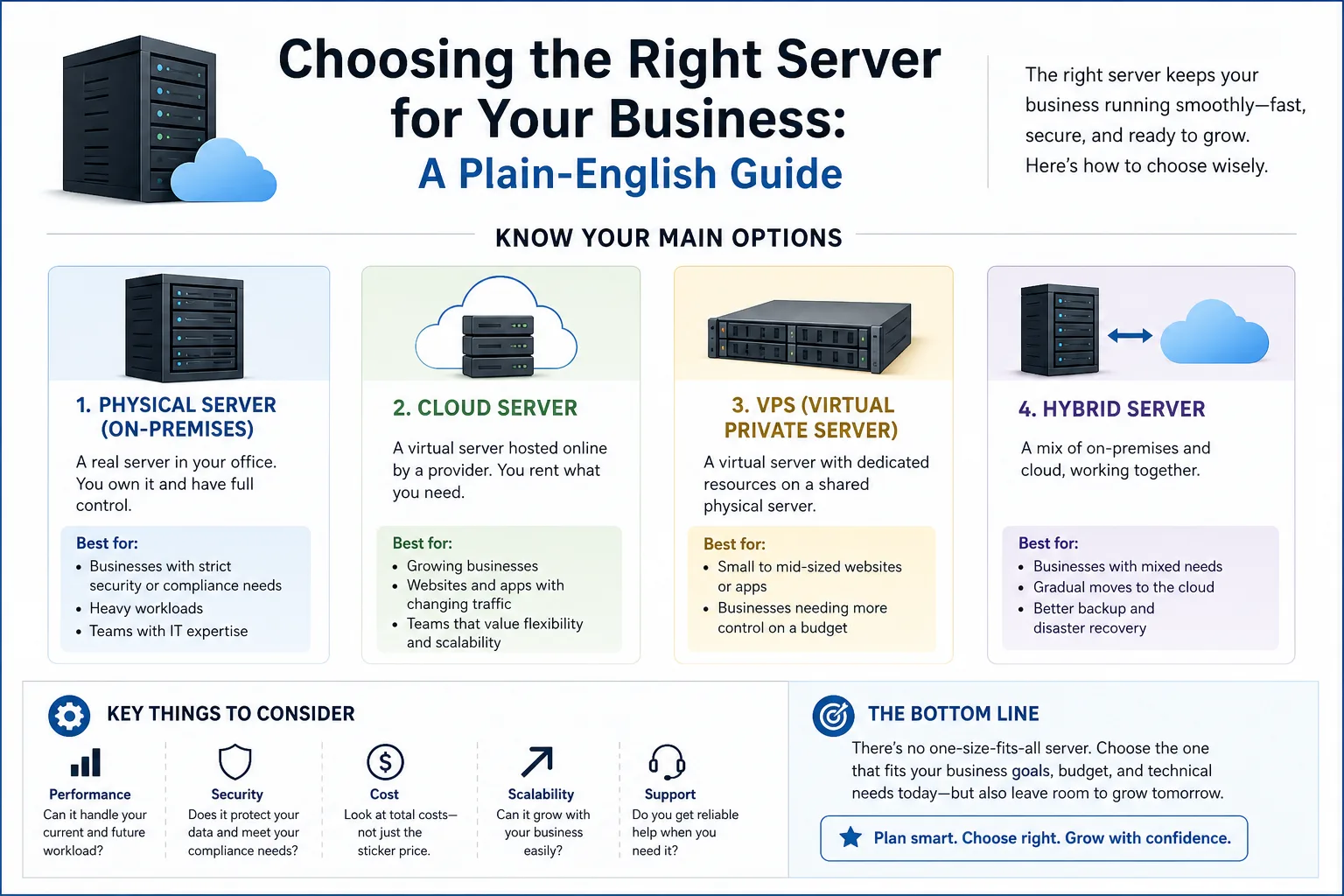
On-premise servers give you full control, predictable costs once purchased, and no dependency on internet connectivity for core applications. Cloud servers offer flexibility and eliminate hardware management — but ongoing costs can be significant, and performance depends on your internet connection.
Many businesses operate a hybrid model: on-premise servers for core applications and local storage, with cloud services for email, collaboration, and off-site backup. This often represents the best balance of control, performance, and resilience.
Warranty and Support
A server is business-critical infrastructure. Ensure whatever you purchase comes with an appropriate warranty — ideally next-business-day on-site hardware support for production servers, so a hardware failure doesn't mean days of downtime waiting for a replacement part.
Talk to BOSH Group
We supply rack and tower servers configured to your specific requirements. Whether you're buying your first server or expanding an existing infrastructure, our team can help you specify the right solution. Get in touch or browse our server range.